Add a youth sports schedule to iPhone Calendar from one photo
The coach sent a PDF. Another parent texted a screenshot. The paper copy is on the fridge. Turn whichever version you have into reviewed games and practices.
The problem with one-at-a-time
A season schedule is the worst possible thing to enter by hand: many rows, each with a date, a time, an opponent and a field, plus practice lines that may repeat for months. Most calendar apps let you add one event at a time, which means twenty minutes of typing and at least one mistake.
Scan the team schedule, then review the whole set
Point the camera at the printed schedule — the one on the fridge or in the team folder — and Snap puts the dated rows it finds into one review. Games, practices, the championship with a time still marked TBD. You get a list to check before anything is saved.
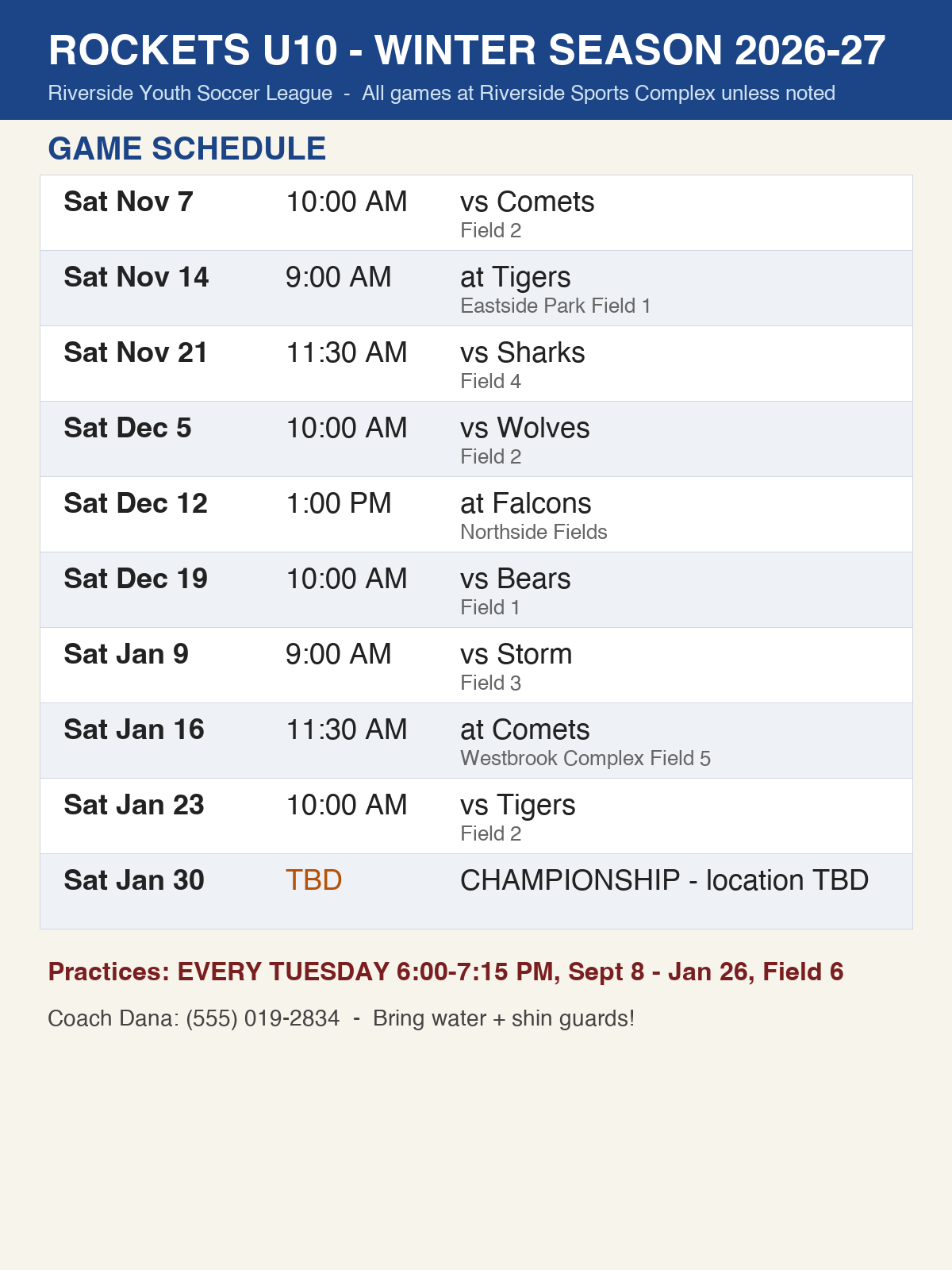
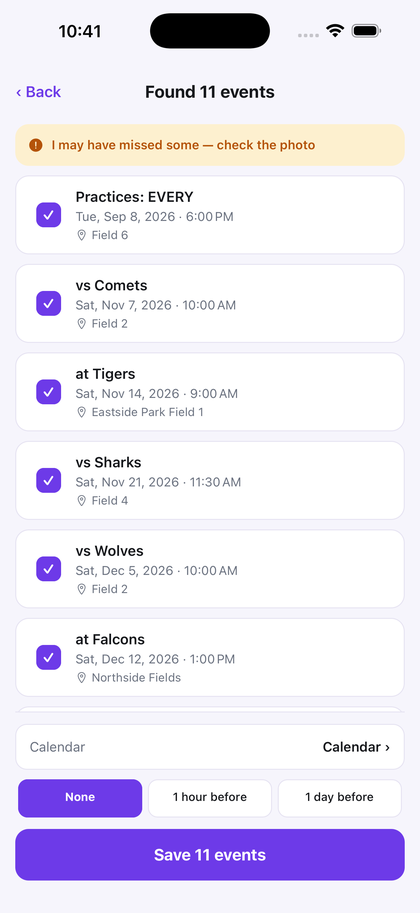
Dates with no printed time save as all-day events rather than an invented 9am. If the app isn't confident it captured the full schedule, it says so on screen so you can check the photo.
Use the right tool for the schedule you received
If GameChanger, TeamSnap or your league gives you a working subscription link, use it. A live feed can update when a game changes.
If all you received is paper, a PDF, screenshot, email or group-chat image, scan it once and review the events before saving.
Works for the rest of the season paperwork too
School flyers, tournament brackets, camp schedules, class lists, and the emailed PDF someone screenshotted and sent to the group chat. Screenshots work too.
If you have a compatible newer iPhone, see how Apple's Visual Intelligence and Snap differ for one event versus a whole schedule.
Turn the schedule you already have into the calendar you actually use.
Free to try — your first 3 successful scans. No deadline, no account, no sign-up.
Try 3 scans free